
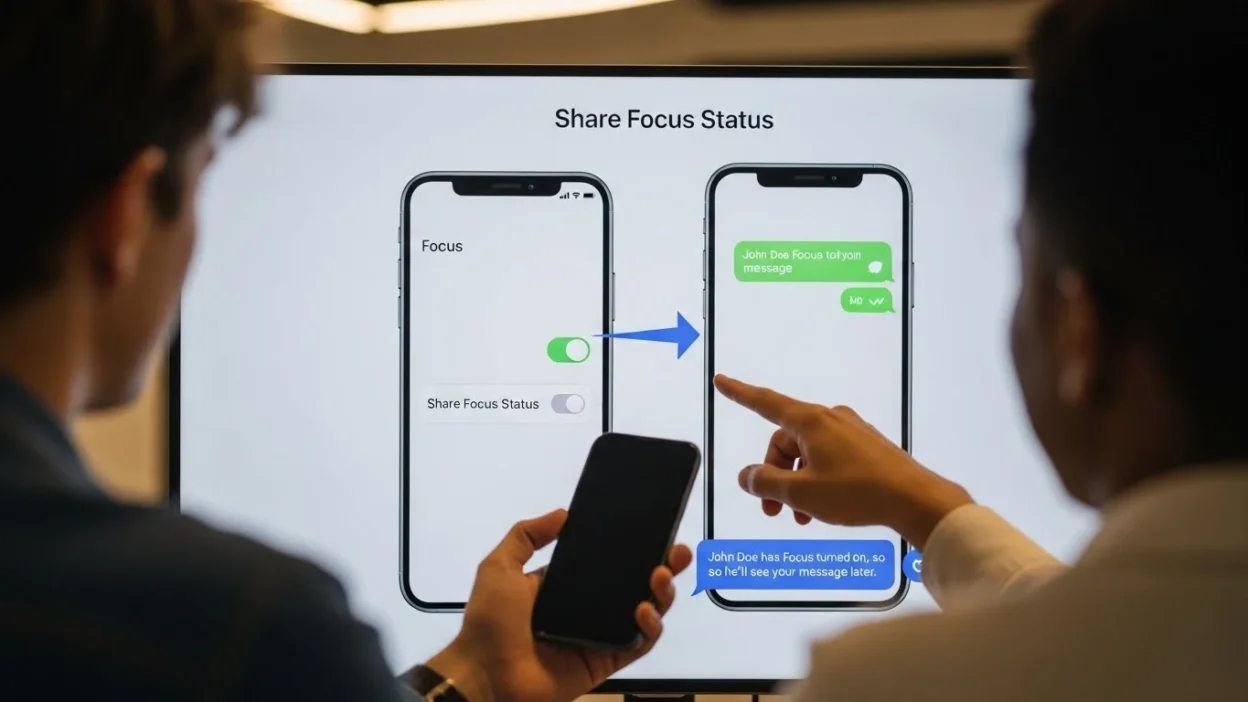
Have you ever seen the “Share Focus Status” option on your iPhone or iPad and wondered what it actually means? With the rise of iOS Focus Mode, Apple introduced this feature to help users manage notifications while keeping communication transparent.
Simply put, share focus status meaning revolves around letting your contacts know when you are busy or don’t want to be disturbed, without sending automated replies.
This feature is especially useful for those who want to stay productive, avoid distractions, and maintain healthy boundaries between work and personal life. Many users search for how to use focus status or focus status iPhone because it’s not immediately obvious how it works or who can see it.
In this guide, we will explain everything about focus status iOS, including its benefits, real-life scenarios, settings, and troubleshooting tips, so you can make the most of this productivity feature in 2026.
Share Focus Status Quick Answer
Share Focus Status is a feature designed to let your contacts know when you are focusing or busy without needing to manually explain or send a reply. In simple terms, it shows others that you have notifications silenced, giving them a heads-up that you might not respond immediately. This is different from traditional “Do Not Disturb,” which blocks notifications silently without informing your contacts.
For example, if you enable focus mode on your iPhone for work, and also turn on share focus status, anyone who messages you via iMessage will see a small notification that says you have notifications silenced. They can still send a message, but they are aware that you may respond later. This makes communication smoother and reduces misunderstandings.
The feature works across compatible apps, primarily iMessage, and syncs across all your Apple devices via iCloud. Users can choose to share their focus status with everyone or only selected contacts, giving full control over privacy.
The main advantage of sharing your focus status is that it balances productivity with transparency. People know you’re busy but not ignoring them. Whether you are working, studying, or in a meeting, enabling share focus status iOS helps reduce distractions while maintaining healthy communication with friends, family, and colleagues.
The Origin of Share Focus Status
The concept of Share Focus Status has its roots in Apple’s ongoing effort to help users manage notifications without completely disconnecting from important communications. Originally, smartphones introduced Do Not Disturb (DND) modes, which allowed users to silence calls, messages, and alerts. While effective, traditional DND had a limitation: contacts had no idea whether you were unavailable or simply ignoring their messages. This often led to confusion or frustration.
To address this, Apple introduced Focus Mode in iOS 15, expanding the idea of DND with customizable modes for work, personal time, sleep, and more. Alongside Focus Mode, Share Focus Status was launched as a companion feature. It allows users to share their availability status with others, providing transparency while still minimizing interruptions.
The evolution of this feature reflects a growing awareness of digital well-being. Instead of forcing users to disconnect completely, focus status iPhone and other similar features aim to create a balance between staying productive and maintaining clear communication.
Over time, Apple refined the feature with options to customize who can see your status, sync it across devices, and integrate it with compatible apps like iMessage. Today, it is widely regarded as a productivity and wellness tool, helping users manage distractions while keeping others informed. Understanding its origin helps users appreciate the design and functionality behind focus status iOS and why it has become an essential part of modern digital life.
Share Focus Status Meaning on iPhone
The “Share Focus Status” feature on iPhone is designed to help users manage notifications and communication while staying focused. It allows apps to let others know when you have enabled a Focus mode, such as Do Not Disturb, Work, or Personal. By sharing your focus status, your contacts can understand when you are busy and may not respond immediately, improving communication without causing interruptions. This feature has become increasingly useful as people seek balance between productivity and staying connected.
In practical terms, enabling share focus status allows your messaging apps to automatically notify people trying to reach you that your notifications are silenced. For example, if someone sends a message on iMessage, they will see a small indicator that you have your Focus mode active. This reduces misunderstandings and encourages thoughtful messaging habits, so users aren’t left wondering why there’s a delayed response.
Focus status also integrates seamlessly across Apple devices. Whether you are using an iPhone, iPad, or Mac, the feature works consistently, keeping your contacts informed of your availability across all platforms. Additionally, you have control over which apps and contacts can see your focus status, allowing you to maintain privacy while still communicating your availability when necessary.
Beyond personal use, share focus status can be particularly useful for professional settings. Teams can respect each other’s work hours, reducing unnecessary pings and interruptions. Students and educators can benefit by minimizing distractions during study or class time. This thoughtful communication helps improve productivity, focus, and overall digital wellbeing.
Overall, the share focus status feature on iPhone demonstrates Apple’s commitment to blending connectivity with mindfulness. By letting others know when you are focusing, it promotes better communication habits and reduces stress, making it easier to manage both personal and professional interactions effectively.
How Does Share Focus Status Work
Share Focus Status works as a smart communication tool that tells your contacts when you are busy or focusing, without blocking their messages entirely. When you enable Focus Mode on your iPhone or iPad and turn on Share Focus Status, your compatible apps, like iMessage, automatically display a small notification to anyone messaging you. This notification informs them that you have silenced alerts and may respond later.
Technically, the feature works through iCloud syncing across all your Apple devices. Once enabled, your focus status is visible to people you allow in your settings. You can choose to share it with everyone or only selected contacts, giving you full control over privacy. Unlike auto-replies, Share Focus Status does not send messages on your behalf—it simply displays a status indicator to let others know your availability.
For example, if you are in a Work Focus Mode, colleagues messaging you will see that your notifications are silenced. Similarly, if you enable Sleep Focus, friends and family will know you might not reply immediately. The feature also respects exceptions you set in Focus Mode, such as allowing calls from certain contacts while silencing others.
By using share focus status iOS, you maintain transparency in communication while minimizing distractions. It balances productivity and social interaction, helping you stay focused without leaving contacts in the dark about your availability.
Share Status Mean on WhatsApp
WhatsApp has become one of the most widely used messaging apps in the world, and its features go beyond simple chatting. One of the most popular features is the status update, which allows users to share moments, thoughts, or feelings with their contacts. Understanding what “share status” means on WhatsApp is essential for anyone looking to engage with friends or manage their privacy effectively.
The primary purpose of WhatsApp status is sharing updates visually or textually. Users can post photos, videos, GIFs, or simple text messages that disappear after 24 hours. This feature is similar to stories on other social media platforms, providing a temporary glimpse into someone’s day or mood. By sharing a status, users can communicate without directly messaging each contact individually.
Another practical aspect is privacy control. WhatsApp allows users to select who can view their status. You can share it with all contacts, exclude certain people, or select specific friends. This ensures that personal updates are visible only to the intended audience, giving users flexibility and control over their online presence.
WhatsApp status is also widely used for social engagement. People share their achievements, travel experiences, thoughts, or even music and video clips. Contacts can reply to a status, fostering interaction in a more casual and less intrusive way than direct messaging. This encourages social connection while maintaining privacy and simplicity.
Additionally, WhatsApp status serves as a creative outlet. Many users use it for storytelling, promoting content, or sharing motivational quotes and fun memes. The combination of images, videos, text, and emojis allows people to express themselves creatively and connect with friends in a visually appealing way.
Overall, understanding the meaning and uses of “share status” on WhatsApp highlights its role in personal communication, social interaction, and creative expression. Whether for sharing moments, engaging with friends, or maintaining privacy, WhatsApp status has become a versatile tool for millions of users worldwide.
Benefits of Sharing Your Focus Status
Sharing your Focus Status comes with multiple benefits that improve productivity, communication, and overall digital well-being. One of the primary advantages is that it allows you to minimize distractions while keeping your contacts informed. Unlike traditional Do Not Disturb modes, which leave others guessing, share focus status meaning ensures that anyone trying to reach you knows you may respond later. This transparency prevents misunderstandings and helps maintain personal and professional relationships.
For example, during work hours, enabling Work Focus Mode with Share Focus Status allows colleagues to see that you are busy without feeling ignored. Similarly, if you are studying or in a meeting, friends and family understand that you are unavailable, reducing pressure to reply immediately.
Another key benefit is enhanced productivity. By silencing non-essential notifications and sharing your focus status, you can stay concentrated on tasks without constantly checking your phone. This helps manage time effectively and reduces digital fatigue.
Privacy control is also a major advantage. You can customize which contacts see your status, ensuring that only relevant people are informed about your availability. This flexibility makes the feature useful in both personal and professional settings.
Lastly, share focus status iOS contributes to better mental well-being. By setting clear boundaries, it reduces stress and helps you prioritize important tasks or rest periods, creating a healthier relationship with technology.
Who Can See Your Share Focus Status
Understanding who can see your Share Focus Status is important for privacy and effective communication. By default, your focus status is only visible to people you choose to share it with, giving you complete control over who knows when you are busy. On iPhones and iPads, this setting is managed under Focus Mode → Share Focus Status, where you can toggle it on or off and select specific contacts.
When you enable Share Focus Status, compatible apps like iMessage display a small indicator to those contacts, letting them know that your notifications are silenced. This helps others understand that you may not respond immediately, reducing confusion and frustration. You can choose to share your status with everyone in your contacts or limit it to a few people, depending on the context.
For example, you may allow only your work colleagues to see your Work Focus status while keeping family and friends unaware, or vice versa for personal focus modes. This flexibility ensures that you maintain boundaries in both professional and personal life.
It’s also important to note that your status does not grant contacts any access to your device or notifications—it only shows a small message indicating your availability. You remain in full control of your privacy, and you can update or revoke visibility at any time.
By understanding focus status iOS, you can balance productivity and communication, letting the right people know when you are busy while keeping other interactions private. This makes the feature both effective and safe.
Share Focus Status Meaning iMessage
The “Share Focus Status” feature in iMessage is designed to help users control how and when they communicate. It allows iPhone users to indicate their availability to others based on their Focus settings. This feature has become increasingly important as digital communication grows, giving users more control over interruptions and improving overall productivity.
In practical terms, sharing Focus Status helps people manage notifications. When enabled, your contacts can see if you have notifications silenced due to a Focus mode such as Do Not Disturb, Work, or Personal. This prevents misunderstandings when messages are not immediately answered, helping maintain smoother communication with family, friends, and colleagues.
For students and professionals, Focus Status can enhance efficiency. By signaling when you are busy, you can minimize distractions while studying, attending meetings, or working on tasks. This also allows others to respect your time without needing constant explanations, making digital interactions more organized and considerate.
In the context of personal relationships, Share Focus Status improves transparency. Friends and family can see when you are unavailable, reducing the chance of missed calls or delayed responses. It encourages clear boundaries, letting others know you are temporarily offline without ignoring them intentionally.
Additionally, businesses leverage Focus Status to streamline communication. Team members can know when colleagues are focusing on work tasks, helping coordinate responses and prioritizing urgent messages. It integrates seamlessly with iMessage, making it a convenient tool for professional environments.
Overall, the Share Focus Status feature in iMessage provides a simple yet effective way to manage availability and interruptions. Its ability to signal presence and silence notifications enhances communication, productivity, and digital etiquette, making it a valuable tool for everyday iPhone users.
How to Enable Share Focus Status (Step by Step)
Enabling Share Focus Status on your iPhone or iPad is a straightforward process, and it ensures that your contacts know when you are busy or focusing. Follow these steps to set it up effectively:
Step 1: Open Settings
Navigate to your device’s Settings app and scroll down to Focus. This section manages all your focus modes, such as Work, Sleep, Personal, and Do Not Disturb.
Step 2: Select a Focus Mode
Choose the focus mode you want to customize. For instance, select Work Focus if you want to minimize distractions during office hours.
Step 3: Enable Share Focus Status
Inside the selected focus mode, toggle Share Focus Status to ON. This allows apps like iMessage to display to your contacts that notifications are silenced.
Step 4: Customize Contacts
You can decide whether to share your status with all contacts or only selected people. This ensures that only relevant individuals are informed about your availability.
Step 5: Test Your Settings
Ask a trusted contact to send a message while your focus mode is active to ensure your status is visible.
Tips for iOS 16+ Users:
- Focus Status syncs across all Apple devices via iCloud.
- You can set different sharing preferences for each focus mode.
- Remember that third-party apps may not support this feature fully.
By enabling share focus status iOS, you can maintain productivity while keeping communication transparent. It’s a simple yet effective tool to manage distractions and maintain boundaries with colleagues, friends, and family.
Common Misconceptions About Share Focus Status
Misconception 1: It sends automatic replies
Some people believe that enabling focus status automatically replies to messages. In reality, Share Focus Status iOS does not send any messages on your behalf. It only displays a small notification to your contacts indicating that notifications are silenced, leaving the message in their inbox.
Misconception 2: Messages are blocked
Another common myth is that messages won’t reach you while focus mode is on. Focus mode silences notifications but does not block messages. You will still receive all incoming messages, but your contacts are informed that you might respond later.
Misconception 3: It works for all apps
While Share Focus Status works seamlessly with iMessage, not all third-party apps support it. Users may notice that certain messaging platforms do not show the status, which is normal and not a technical error.
Misconception 4: Privacy is compromised
Some worry that sharing focus status exposes personal information. In fact, it only shows availability. Contacts cannot see the content of your messages or any other device activity. You can also select specific contacts who can view your focus status.
Real Life Scenarios of Using Share Focus Status
1. At Work:
Imagine you are in a team meeting or deep into a project. By enabling Work Focus and turning on Share Focus Status, your colleagues see that your notifications are silenced. They know you may respond later without thinking you are ignoring them. This reduces unnecessary follow-ups and improves professional communication.
2. While Studying or Working on Personal Projects:
Students or freelancers often need uninterrupted time. Using Study Focus or Personal Focus with Share Focus Status iOS ensures that friends and family understand you are concentrating. You can maintain productivity while being courteous to those who message you.
3. During Sleep or Rest:
Activating Sleep Focus helps you avoid late-night disturbances. Contacts see that you are unavailable, promoting better rest without accidentally sending messages that might interrupt your sleep.
4. Social or Family Time:
Focus modes aren’t just for work—they can help preserve quality time. For instance, during family dinners or outings, enabling a Personal Focus with Share Focus Status communicates your unavailability without needing to explain constantly.
5. Emergencies and Exceptions:
Focus Status also allows exceptions. You can enable notifications from certain contacts like family or urgent work messages, balancing accessibility with focus.
Troubleshooting Share Focus Status Issues
Even though Share Focus Status is designed to work seamlessly, users may sometimes face issues. Understanding common problems and how to fix them ensures you get the most out of this feature.
Issue 1: Contacts Can’t See Your Status
If your contacts do not see that you are in focus mode, first check that Share Focus Status is turned on in the Focus settings. Navigate to Settings → Focus → [Selected Focus Mode] → Share Focus Status and ensure it’s enabled. Also, verify that the contact is using a compatible app like iMessage.
Issue 2: Status Not Syncing Across Devices
Since focus status iOS syncs via iCloud, it may not appear on all devices if iCloud syncing is off. Make sure you are signed into the same Apple ID and iCloud is enabled for Focus.
Issue 3: Messages Still Alerting You
If notifications continue to appear despite focus mode, check your Focus exceptions. You may have allowed certain contacts or apps to bypass Focus, which can be adjusted under Focus → Allowed Notifications.
Issue 4: Third-Party App Limitations
Not all messaging apps support Share Focus Status. For unsupported apps, your contacts may not see your status even if the feature is enabled.
Tips:
Always keep your iOS updated to the latest version, as updates often fix syncing and visibility issues. Restarting your device can also resolve minor glitches.
FAQs:
1. What happens if I don’t share my focus status?
If you choose not to share your focus status, your contacts won’t see that you have notifications silenced. Messages will still arrive, but others may assume you are ignoring them. Sharing your status is optional but helps avoid misunderstandings.
2. Can I customize who sees my focus status?
Yes! In iOS, you can select specific contacts who are allowed to see your status for each Focus Mode. This allows you to maintain privacy while keeping important people informed.
3. Does focus status share across all devices?
Yes, if you are signed into iCloud and have Focus synced, your status will appear across all Apple devices, including iPhone, iPad, and Mac.
4. Can third-party apps display focus status?
Not all third-party apps support Share Focus Status. The feature works best with Apple apps like iMessage. Unsupported apps may not show your status, even if enabled.
5. Will Share Focus Status block messages or notifications?
No. Focus Status does not block messages. Notifications are silenced according to your Focus settings, but messages are delivered normally.
6. Is my privacy compromised by sharing focus status?
No. Sharing your status only shows your availability. Contacts cannot access your messages or device activity. You control who sees your status.
7. Can I use different focus statuses for work and personal life?
Absolutely. You can create multiple Focus Modes, each with separate sharing settings, so contacts see your availability based on the context.
Conclusion
In summary, Share Focus Status is a simple yet powerful feature designed to help iPhone and iPad users manage notifications while maintaining clear communication.
By enabling focus status iOS, you can let your contacts know when you are busy, studying, working, or resting, without sending automatic replies or blocking messages.
This transparency reduces misunderstandings, helps maintain professional and personal boundaries, and supports better digital well-being.
The feature is highly customizable. You can choose which contacts see your status, sync it across all Apple devices via iCloud, and create multiple Focus Modes for different scenarios, such as work, sleep, personal projects, or family time.
If you want to avoid distractions during deep work sessions or simply inform friends that you’re unavailable, Share Focus Status ensures that communication stays respectful and efficient.
Additionally, the benefits of this feature extend beyond productivity. It promotes healthier technology use, reduces stress caused by constant notifications, and ensures that important messages can still reach you through exceptions.
By understanding what does share focus status mean and learning how to enable and customize it, users can take full advantage of this tool in 2026.
Ultimately, Share Focus Status strikes the perfect balance between focus and connection. It is an essential feature for anyone looking to manage interruptions, stay productive, and maintain smooth communication with colleagues, friends, and family.
Discover More Articale
- What Does SB Mean in Text? Understanding Its Meaning 2026
- What Does Encrypted Mean: Easy Explanation for Everyone 2026
- What Does P.s Mean Explained Clearly in 2026

I’m the mind behind Jokesattack.com, your go-to place for daily laughs, clever puns, and hilarious memes. Spreading smiles one joke at a time!